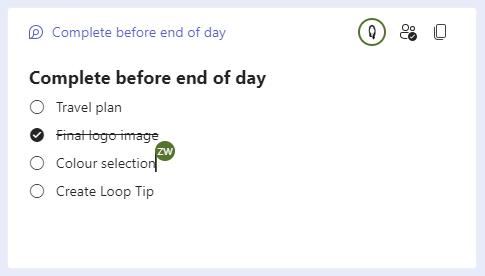
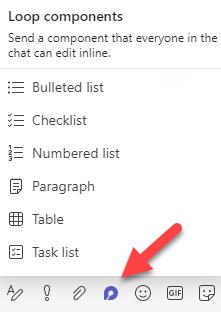
Loop components allow you to co-author in real-time without needing to be in an Office document ? Effortlessly create a bullet list, paragraph, or even a table with your colleagues directly in Teams chat. You will find the Loop icon in Teams Chat next to the Attach and Emoji icons.
Loop components can be copied and pasted to other chats using the copy icon (two pieces of paper). Both the original and new loop components remain in sync and can be updated in either location!