Change the colour of your folders in Teams, SharePoint, and OneNote (browser) πŸ‘Œ

You can change the folder colour of any folder in Teams, SharePoint and OneNote in the browser.

 1.  Next to the folder, click on the .. more.

 2.  From the popup pane select “Folder colour” and select the colour from the available colours.

 3. The folder colour will change and it will confirm this.
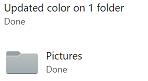
 4. Now the folder appears in the colour you selected.

365Tribe
Privacy Overview

This website uses cookies so that we can provide you with the best user experience possible. Cookie information is stored in your browser and performs functions such as recognising you when you return to our website and helping our team to understand which sections of the website you find most interesting and useful.