Make your Teams meeting presentations (and calls) more interactive by including votes.
We now have a larger variety of question types allowing for more interesting voting options 
Rating allows meeting attendees to vote like a star rating system (you can select from a variety of symbols).
Ranking enables attendees to organise options into a sequence by dragging and dropping.

To add a Poll, when in a Team meeting click +Apps then Polls
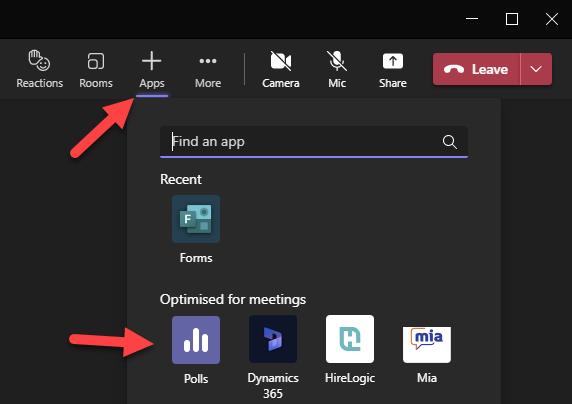
Once you have added Polls to the meeting, at the top of the screen you will see a Polls heading.
Polls can be anonymous and you can choose whether to share the results with attendees.